
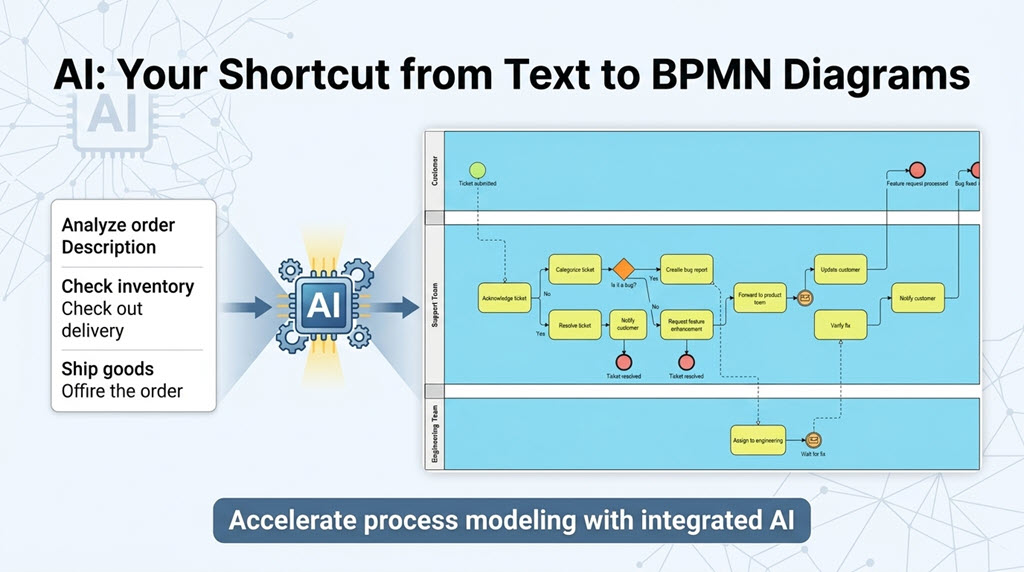
In the world of business process management, the gap between understanding a business reality and documenting it in a formal standard like BPMN 2.0 has historically been significant. Business Analysts often spend hours manually dragging and dropping shapes, ensuring sequence flows are correct, and validating that gateways are used according to strict rules. Visual Paradigm has revolutionized this workflow by integrating an AI-driven engine that acts as a bridge between plain English descriptions and professional, executable process models.
This tutorial explores how the Visual Paradigm AI Ecosystem transforms the modeling lifecycle, allowing teams to shift from “drawing” to “analyzing” in a matter of minutes.
The Architecture of AI-Assisted Modeling
Visual Paradigm’s AI Generator does not simply “guess” a diagram; it functions as an intelligent interpretation engine that understands the semantics of process modeling. The workflow is structured into four distinct stages: Interpretation, Generation, Refinement, and Validation.
1. Natural Language Input
The process begins with the most human element possible: text. The AI engine is designed to accept natural language descriptions of a process. Instead of selecting a “Start Event” and dragging a “Task,” the user simply describes the scenario.
- Input: “A customer support ticket resolution process for a SaaS company.”
- System Understanding: The engine parses the text to identify the scope (SaaS), the primary goal (resolution), and the likely stakeholders (Support Team, Customer).
2. The AI Interpretation Engine
Once the input is received, the AI performs a complex analysis to map the text to the BPMN 2.0 meta-model. This is where the “intelligence” in the system becomes visible:
- Actor Identification: It recognizes entities mentioned in the text and suggests appropriate Swimlanes (Pools or Lanes) to organize the process by role.
- Activity Mapping: Verbs like “Resolve,” “Check,” or “Approve” are mapped to specific BPMN Tasks or Sub-processes.
- Decision Logic: It identifies conditional logic (e.g., “if approved,” “if rejected”) and automatically recommends the correct Exclusive Gateway types.
- Best Practices: The engine ensures that the diagram adheres to BPMN 2.0 standards, preventing common modeling errors like sequence flows crossing lanes without proper markers.
3. Instant Diagram Generation
Within seconds, the system generates a complete, standards-compliant BPMN 2.0 diagram. This draft is not a sketch; it is a fully constructed model featuring:
- Proper Symbol Usage: Correct application of Start, Intermediate, and End events.
- Logical Flows: Valid sequence flows connecting the tasks.
- Gateway Placement: Decision points positioned logically between activities.
- Lane Assignments: Tasks automatically grouped into the identified swimlanes.
💡 Did You Know?
The AI engine enforces BPMN 2.0 syntax rules in real-time, ensuring that sequence flows are never drawn in a way that violates the specification (e.g., preventing a Sequence Flow from connecting directly to a Gateway input without a proper flow).
The Human-in-the-Loop: Refinement and Professionalization
The AI provides a high-fidelity “Initial Draft,” but professional modeling requires context that only human experts possess. Visual Paradigm’s editor allows for rapid refinement of the AI-generated model.
Step 1: Validate Logic
Before finalizing, the modeler should use the built-in Process Simulation tool. This feature allows you to “walk through” the generated diagram, testing every path to ensure there are no dead ends, infinite loops, or missing exit paths from gateways.
Step 2: Add Detail and Context
The AI generates the structural skeleton, but the Business Rules and Data Objects are added by the expert. You can:
- Attach Data Objects: Link specific inputs or outputs to tasks using Visual Paradigm’s data association tools.
- Define Gateway Conditions: Refine the logic expressions in the gateway using the built-in expression builder.
- Add Compliance Markers: Include specific requirements like SOX, GDPR, or HIPAA annotations.
Step 3: Socialize and Iterate
Once the model is refined, Visual Paradigm’s Cloud Workspace enables seamless collaboration. Stakeholders can review the diagram in Presentation Mode, providing feedback that is immediately captured with full version history.
Best Practices for Prompting the AI
To maximize the efficiency of the AI Generator, the quality of the prompt is paramount. Here are the key strategies for obtaining the best results:
- Be Specific About Context:
Avoid: “A loan process.”
Use: “A personal loan application and approval process in a retail bank for amounts up to $50,000.” - Mention Key Actors:
Avoid: “An onboarding process.”
Use: “An employee onboarding process involving HR, IT, the hiring manager, and the new employee.” - Specify Decision Criteria:
Avoid: “A support process with escalations.”
Use: “A support process that escalates tickets unresolved after 24 hours or marked as high priority.” - Note Special Requirements:
Explicitly mention integration points, service level agreements (SLAs), or compliance needs to ensure the AI includes relevant events (like Timer Events) in the model.
Advantages of the AI-Assisted Approach
The integration of AI into Visual Paradigm offers tangible benefits for organizations of all sizes:
- Speed: What traditionally took hours of drawing and formatting now takes minutes. The initial draft is generated in 30-60 seconds.
- Consistency: The system enforces BPMN 2.0 standards automatically, ensuring that every diagram created follows the same rigorous rules regarding symbol usage and flow logic.
- Completeness: The AI acts as a safety net, suggesting elements you might forget, such as Exception Paths, Error Events, or Timer Events for SLAs.
- Accessibility: Business analysts without deep BPMN certification can create professional diagrams by simply describing the process in plain English.
From AI Draft to Production-Ready Model
The final workflow in Visual Paradigm transforms a raw AI draft into a production-ready artifact:
- Refine Notation: Collapse complex sub-processes with one click or add detailed annotations for business rules.
- Add Performance Metrics: Use custom properties to track performance indicators on specific tasks.
- Error Handling: Utilize the compensation event palette to define how the process handles failures.
- Review: Share via the cloud workspace for stakeholder review and conduct walkthroughs.
By combining the speed of AI with the precision of Visual Paradigm’s professional editor, organizations can accelerate their process improvement initiatives, ensuring that models are accurate, compliant, and actionable.