
In the modern landscape of system architecture and technical documentation, the friction between “writing” and “drawing” has long been a bottleneck. Engineers often struggle to maintain the fidelity of a visual model while trying to document complex logic in text. The solution lies in the paradigm shift towards Diagram-as-Code. This approach treats visual models not as static images, but as dynamic, executable text artifacts. This tutorial explores the architecture of a unified web workspace, specifically leveraging tools like VPasCode with embedded AI, to demonstrate how to build, refine, and deploy visual models with unprecedented efficiency.
The Unified Web Workspace Architecture
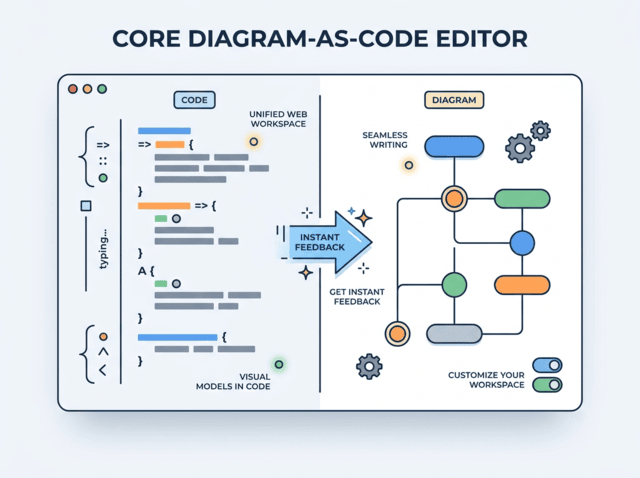
The core of this technology is the Unified Web Workspace. Unlike traditional desktop GUIs where a diagram is a binary object, this workspace treats the diagram as a living codebase. The architecture is defined by a bidirectional relationship between the code editor and the rendering engine.
1. Automatic Format Detection
One of the first hurdles in adopting diagram-as-code is syntax management. Different tools use different languages (e.g., Mermaid, Graphviz, PlantUML). However, advanced workspaces utilize Automatic Format Detection. As you begin typing, the system parses the structural scripting syntax on the fly. This eliminates the need for complex configuration files or header declarations. The workspace identifies whether you are defining a flow, a hierarchy, or a network topology instantly, allowing for a seamless entry into the modeling process.
2. The Real-Time Preview Loop
The most critical component of the workspace is the Real-time Preview engine. In traditional development, you would write code, save the file, run the compiler, and then view the output. In this unified environment, the rendering engine is tethered to the editor’s input stream.
When you type a line of code, the system compiles it into a visual element and updates the diagram instantly. This creates a tight feedback loop where the visual representation of your logic is always synchronized with your text description. This “instant feedback” mechanism is vital for iterative design, allowing architects to visualize structural changes as they conceptualize them.
Advanced Productivity via AI Integration
While the syntax of diagram-as-code is efficient, it still requires a certain level of technical proficiency. To bridge the gap between natural language and formal modeling syntax, the workspace integrates AI-Powered Productivity Features. This transforms the tool from a simple text editor into an intelligent assistant.
- AI-Powered Creation: Instead of starting with a blank canvas or a complex syntax definition, you can provide a high-level prompt or a system idea. The embedded AI analyzes the semantic meaning of your text and generates a complete visual model from scratch.
- AI Diagram Modification: Refactoring a diagram traditionally requires manually editing code to add or remove nodes. With AI assistance, you can simply instruct the assistant to “add a payment gateway step” or “modify the error handling loop,” and the system updates the code and the visual map simultaneously.
- Smart Error Resolution: Syntax errors are the nemesis of diagram-as-code. The system employs real-time syntax checking and AI-driven error resolution. If a symbol is missing or a structure is invalid, the AI provides a side-by-side diff panel to highlight the issue and automatically fix typos or missing delimiters.
- Native Language Translation: For global teams, diagrams often become a barrier if they are not in a common language. The AI can translate entire diagram labels, titles, and comments into multiple languages instantly, ensuring the model remains technically accurate while being linguistically accessible.
Seamless Sharing and Exporting
The ultimate goal of a diagram is communication. The workspace supports Seamless Sharing and Exporting to ensure your models reach your audience effectively. You can export high-fidelity vector SVGs for integration into technical documentation or high-res PNGs for presentations. Furthermore, the ability to create collaborative web links allows teams to review and interact with the diagram without needing to install specialized software.
Conclusion
By combining the precision of text-based modeling with the agility of AI and the flexibility of a unified web workspace, engineers can eliminate the manual coding friction. Whether you are creating high-level architecture maps or detailed system schemas, this approach ensures that your visual models are always up-to-date, accurate, and easy to collaborate on.