
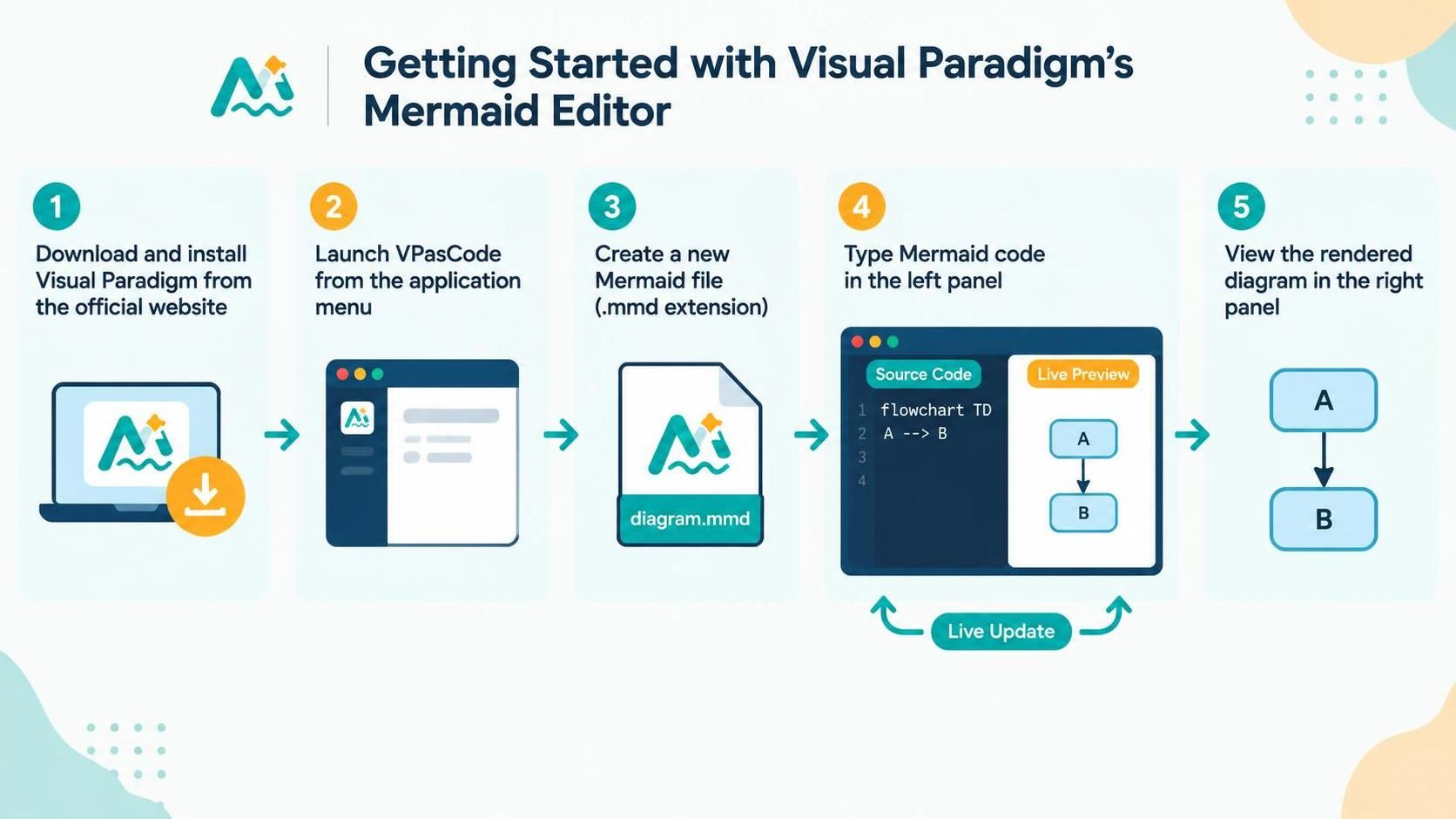
In the modern landscape of software architecture and technical communication, the ability to translate abstract thoughts into clear visual models is paramount. Visual Paradigm has revolutionized this workflow by integrating the lightweight, text-based syntax of Mermaid directly into its robust VPasCode environment. This tutorial explores the architecture of the VPasCode Mermaid Editor, guiding you through the seamless transition from installation to the generation of complex system diagrams.
The Architecture of Text-Based Diagramming
Visual Paradigm’s approach to diagramming relies on a “Live Preview” architecture. Unlike traditional drag-and-drop GUI tools where the visual canvas is the primary editing surface, VPasCode utilizes a dual-pane interface. On the left, developers and architects write declarative code using the Mermaid syntax. On the right, an engine renders this text into a vector-based graphic in real-time. This separation of concerns allows for version control compatibility, precise editing, and rapid iteration.
1. The Foundation: Installation and Environment
The journey begins with establishing the necessary environment. Visual Paradigm is a comprehensive suite for software development, and its Mermaid capabilities are powered by the VPasCode engine. Before diving into modeling, you must ensure the platform is ready.
- Acquisition: Navigate to the official Visual Paradigm website. The installation package is designed to be modular, allowing you to select the specific components you need, including the code editor and modeling plugins.
- Environment Setup: Once downloaded, the installer will configure your system paths. After installation, the application becomes available in your system’s application menu, ready to be invoked.
2. Launching the VPasCode Engine
The core of this experience is the VPasCode tool. When you launch it from the application menu, you are entering a specialized coding environment optimized for technical documentation. Unlike a standard text editor, VPasCode is pre-configured to understand specific file extensions and rendering engines, ensuring that your diagrams compile correctly without manual configuration of build scripts.
3. The Artifact: Creating the .mmd File
To begin creating a diagram, you must define the container for your code. In this workflow, the file extension is critical. Visual Paradigm utilizes the .mmd extension to identify files as Mermaid documents.
- File Generation: Initiate the creation of a new file within the VPasCode interface.
- Extension Requirement: Ensure the file is saved with the
.mmdextension. This acts as a signal to the rendering engine, instructing it to parse the content using the Mermaid grammar rules rather than standard text or other programming languages.
4. The Input: Writing Mermaid Code
With the file ready, the primary interaction occurs in the left-hand panel, known as the Source Code view. This is where the logic of your diagram is defined. The Mermaid language is a declarative language, meaning you describe the structure of the graph rather than the coordinates of the nodes.
For example, defining a flowchart involves specifying the type of diagram, the nodes, and the relationships between them. In VPasCode, you simply type these instructions directly. The editor provides syntax highlighting to help distinguish between keywords (like flowchart) and variables (like node IDs).
5. The Output: Live Rendering and Visualization
The magic of the VPasCode Mermaid Editor lies in its feedback loop. As soon as you type your code in the left panel, the system parses the syntax and generates a visual representation in the right panel.
- Live Update: This is not a batch process. The diagram updates instantly as you type. If you add a new arrow or change a node label, the right panel reflects the change immediately.
- Visual Interpretation: The right panel interprets the abstract text. For instance, a code snippet like
A --> Bis instantly visualized as two boxes connected by an arrow, allowing you to verify the structural logic of your system architecture visually.
Summary
By following this workflow—from installation to the live preview of your rendered diagrams—architects can leverage the precision of code with the clarity of visual modeling. Visual Paradigm’s integration of Mermaid into VPasCode bridges the gap between technical specification and visual representation, streamlining the design process for complex systems.