
In the rapidly evolving landscape of software development and system architecture, the gap between human thought and visual representation has traditionally been a significant bottleneck. Diagramming tools are essential, but they can often become cumbersome when trying to keep up with the pace of agile development. Visual Paradigm’s VPasCode represents a paradigm shift in this domain, merging the precision of “diagram-as-code” with the generative speed of Artificial Intelligence.
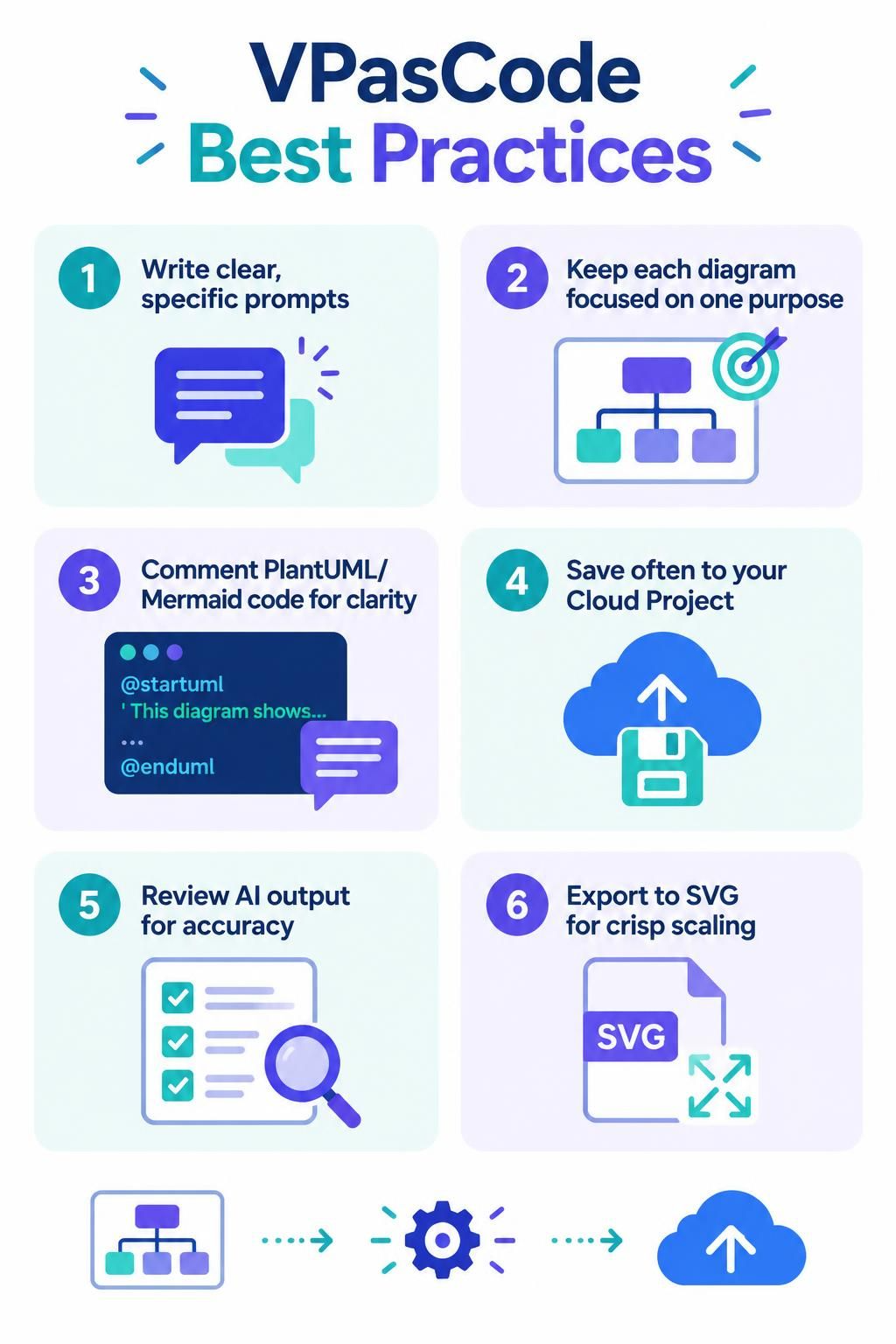
This tutorial explores the essential best practices for leveraging VPasCode. By treating AI as a collaborative drafting partner and adhering to structured coding principles, you can create documentation that is not only visually stunning but also technically accurate and easily maintainable.
1. The Art of the Prompt: Clarity is Key
The relationship between a user and an AI generation tool is defined by the input provided. In the context of VPasCode, the initial prompt acts as the architectural blueprint. Just as a vague instruction to a contractor might result in a poorly built house, a vague prompt to an AI will result in a diagram that lacks specific context.
To get the most accurate initial drafts, you must write clear, specific prompts. Avoid open-ended questions like “Draw a system diagram.” Instead, define the scope, the actors involved, and the specific relationships you wish to visualize. Specificity reduces the cognitive load on the AI, guiding it to generate a structure that aligns closely with your actual requirements.
2. The Power of Focus: One Purpose Per Diagram
One of the most common pitfalls in system modeling is “diagram soup”—trying to cram too much information, multiple contexts, and various abstraction levels into a single visualization. While AI is powerful, it thrives on clarity.
VPasCode best practices dictate that you keep each diagram focused on one purpose. Whether you are mapping a high-level user journey or detailing a specific database schema, a focused diagram is easier to read and easier to debug. If a diagram becomes cluttered, it is often a signal that the model has outgrown its current scope and should be split into a higher-level overview and a more detailed subordinate view.
3. The Human Element: Commenting Your Code
VPasCode utilizes code-based languages like PlantUML or Mermaid under the hood. While these languages are concise, they are also terse. To ensure that your diagrams remain maintainable over time, you must treat the code with the same care as your application code.
Always use comments in your PlantUML or Mermaid code. A well-commented diagram is a self-documenting diagram. It provides context for future developers (or your future self) who might need to modify the diagram months or years down the line. Comments can explain the “why” behind a specific relationship or note the specific business rules governing a process flow.
@startuml
' This comment explains the logic for the login flow
actor User
rectangle "Login System" {
  User --> (Authenticate)
}
@enduml
4. Safety First: The Importance of Cloud Saving
Generative AI workflows can be iterative and experimental. You might generate a draft, tweak the prompt, generate a new version, and then realize you wanted to revert to the original. In this fluid workflow, data loss is a real risk.
The VPasCode environment is designed to mitigate this risk. You should save frequently to your Cloud Project. This ensures that your work is versioned and backed up, protecting you against browser crashes, accidental tab closures, or local storage issues. Cloud integration transforms your diagramming session from a fragile experiment into a robust project.
5. Critical Review: AI is a Draft, Not the Final Word
It is vital to maintain a healthy skepticism regarding AI output. While VPasCode is impressive, it can sometimes hallucinate relationships or miss subtle logical nuances specific to your business domain.
Always treat AI output as a draft. You must manually review the generated diagram for accuracy and logical consistency. Check for orphaned nodes, incorrect arrow directions, and missing data flows. This human-in-the-loop approach ensures that while the AI provides the heavy lifting of structure and syntax, the final product remains a true reflection of your system’s reality.
6. Presentation Quality: Exporting for Scale
The final stage of the modeling process is often sharing your work. Whether you are presenting to stakeholders or embedding a diagram in a technical wiki, the visual quality of your output matters.
For high-quality scaling, export your diagrams to SVG (Scalable Vector Graphics). Unlike raster formats like PNG or JPEG, SVG files are resolution-independent. This means your diagrams will look crisp on a mobile phone, a high-resolution desktop monitor, or a massive presentation screen without any loss of quality.
Conclusion
Visual Paradigm VPasCode is more than just a tool; it is a significant leap forward in visual modeling. By combining the speed of AI generation, the precision of diagram-as-code, and the convenience of cloud-based file management, it empowers teams to create, maintain, and share high-quality diagrams effortlessly. Whether you are a developer documenting architecture, a business analyst mapping processes, or a product manager visualizing user journeys, VPasCode provides the tools to keep your documentation alive and aligned with your evolving projects.
Start diagramming at the speed of thought today by embracing these best practices and exploring the capabilities of VPasCode.