
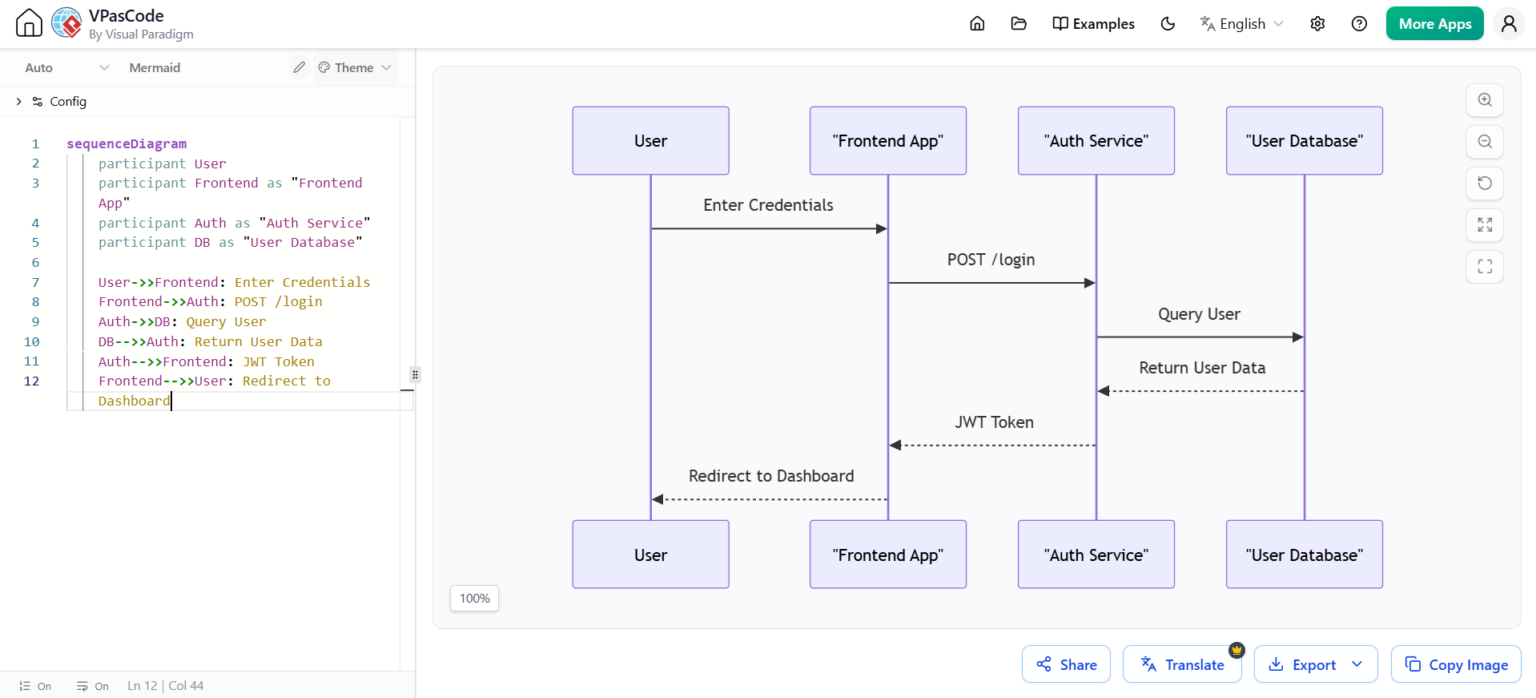
In modern software architecture, documenting the flow of data between system components is critical. Diagrams-as-Code (DaC) have emerged as the gold standard for this, allowing developers to treat architectural documentation with the same rigor as their application code. This tutorial explores how to model a secure API Authentication flow using Mermaid.js within the Visual Paradigm VPasCode environment.
Why Diagram-as-Code?
Traditional diagramming tools often result in static images that become outdated the moment the system changes. By writing diagrams in plain text using a structured syntax, we unlock several powerful advantages:
- Version Control: Track changes in Git just like you would for application source code.
- Review Workflows: Use Pull Requests to review architectural changes before they are merged.
- Living Documentation: Ensure your diagrams stay synchronized with the actual system evolution.
- Automation: Generate diagrams automatically as part of CI/CD pipelines.
Understanding Sequence Diagrams
Before diving into the code, it is essential to understand the specific diagram type used here: the Sequence Diagram. This diagram focuses on the dynamic behavior of a system by illustrating how objects interact over time. It is particularly effective for:
- API Authentication: Showing how credentials are passed, verified, and returned.
- Request-Response Flows: Mapping the specific steps from a user action to a backend response.
- Asynchronous Events: Visualizing callback mechanisms or delayed processing.
Step-by-Step: Building the Authentication Flow
The following example models a standard authentication scenario where a user logs in via a frontend application, which then communicates with an authentication service to validate credentials against a database.
1. Defining Participants
The first step in any Mermaid sequence diagram is defining the actors or components involved. In VPasCode, we use the participant keyword. You can assign aliases (short names) to complex labels to make the syntax cleaner.
sequenceDiagram
    participant User
    participant Frontend as "Frontend App"
    participant Auth as "Auth Service"
    participant DB as "User Database"
2. Modeling the Interaction Flow
Once participants are defined, we map the messages exchanged between them. The syntax distinguishes between different types of communication:
- Solid Arrow (->>): Represents a synchronous message or request.
- Dashed Arrow (–>>): Represents a return message or asynchronous callback.
Here is the complete code block for the API Authentication Sequence Diagram:
sequenceDiagram
    participant User
    participant Frontend as "Frontend App"
    participant Auth as "Auth Service"
    participant DB as "User Database"

    User->>Frontend: Enter Credentials
    Frontend->>Auth: POST /login
    Auth->>DB: Query User
    DB-->>Auth: Return User Data
    Auth-->>Frontend: JWT Token
    Frontend-->>User: Redirect to Dashboard
Decoding the Architecture
Let’s break down the logic flow generated by the code above:
- User Input: The interaction begins with the User providing credentials to the Frontend App.
- API Request: The Frontend sends a
POST /loginrequest to the Auth Service. This indicates a secure, stateless request typical of RESTful APIs. - Data Validation: The Auth Service queries the User Database to verify the credentials.
- Data Retrieval: The Database returns the user data to the Auth Service (represented by the dashed line).
- Token Generation: Upon successful validation, the Auth Service generates a JWT Token (JSON Web Token) and sends it back to the Frontend.
- Session Management: Finally, the Frontend redirects the user to the Dashboard, completing the login process.
Best Practices for Documentation
When using VPasCode or Mermaid in your workflow, keep these architectural modeling tips in mind:
- Keep it Readable: Use descriptive labels like “POST /login” rather than generic terms like “Login Request”.
- Focus on Critical Paths: Sequence diagrams should highlight the happy path first. Error handling can be added later as optional notes.
- Iterate with Code: If the architecture changes, simply update the text file and regenerate the diagram. No need to redraw boxes or reconnect lines manually.
By leveraging tools like VPasCode and the power of Diagram-as-Code, you ensure that your system documentation remains a living, breathing part of your development lifecycle.