
Are you struggling to communicate complex strategic analyses for your non-profit organization? The Four Aspects Infographic Designer from Visual Paradigm is the ultimate AI-powered tool to transform your strategic insights into compelling, professional visuals. This innovative platform empowers users to generate a complete, content-rich infographic in minutes, using a structured four-aspect framework. By simply entering a topic and selecting an analysis type, the AI engine instantly populates the infographic with relevant content, allowing you to focus on refining the message rather than the design. This tool is a game-changer for business strategists, product managers, and consultants who need to present data-driven insights clearly and effectively. The ability to customize layouts, apply dynamic animations, and share professionally designed infographics via a simple link makes it a powerful solution for modern communication.
Key Takeaways:
-
Generate a complete, professional infographic in minutes using AI.
-
Visualize any topic with a four-aspect framework like SOAR or SWOT.
-
Customize the look and feel with 50+ styles and dynamic animations.
-
Share your analysis with stakeholders via a secure, read-only link.
-
Save projects to the cloud for access from any device.
How the AI-Powered Infographic Designer Works
Visual Paradigm’s Four Aspects Infographic Designer is a streamlined, AI-driven tool designed to make strategic analysis accessible and visually engaging. The process begins on the landing screen, where users are prompted to enter a topic and select an analysis type. As shown in
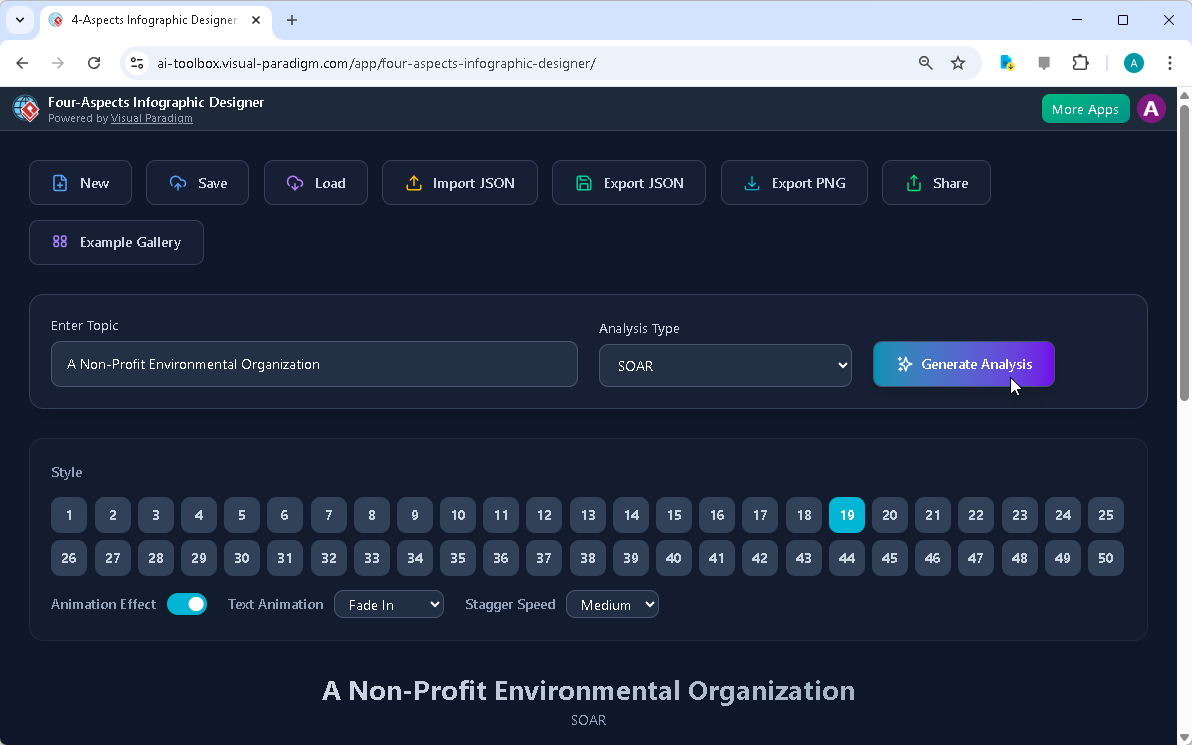
, the user has entered “A Non-Profit Environmental Organization” and selected “SOAR” as the analysis framework. This is a powerful starting point for any organization looking to map its strengths, opportunities, aspirations, and results. The AI engine then analyzes the input and generates a comprehensive infographic, which is instantly displayed. The entire workflow is designed to be intuitive, allowing users to focus on the content rather than the technical aspects of design.
The power of this tool lies in its intelligent AI engine. When a user inputs a topic, the AI doesn’t just generate random text; it uses its training to create relevant, plausible content for each of the four aspects. This eliminates the common creative block of starting from a blank canvas and provides a robust, professional starting point. For a non-profit, this means an instant, structured analysis of their current state and future goals. The AI-generated content is not meant to be a final product but a foundation to be refined. Users can easily edit any of the generated points to ensure accuracy and reflect their specific context. This seamless blend of AI generation and human refinement ensures the final infographic is both insightful and authentic.
Customizing Your Infographic for Maximum Impact
Once the AI has generated the initial content, the real creative control begins.
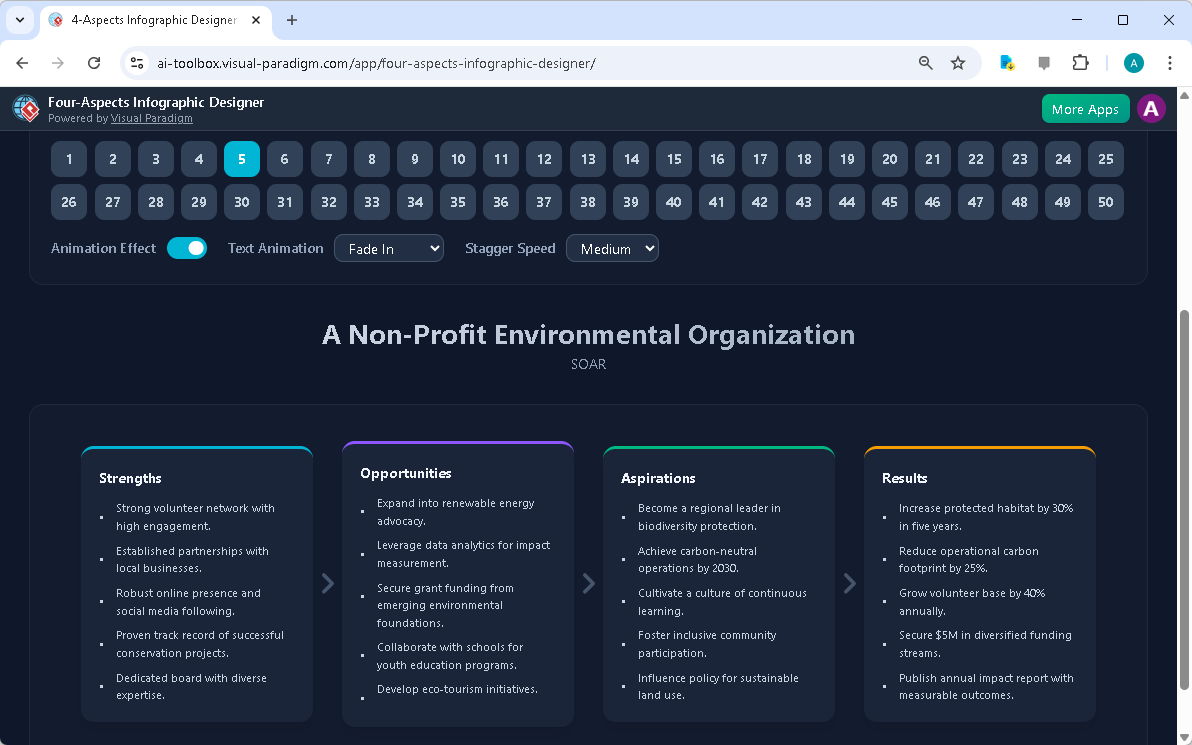
showcases the resulting infographic, which is a beautifully structured visual representation of the SOAR analysis. The user has the ability to customize every aspect of the presentation. The interface offers a wide array of 50 distinct styles, allowing users to choose a layout that best suits their audience and brand identity. Whether a user prefers a minimalist, modern look or a more dynamic, colorful design, there is a style to match. The tool also allows for fine-tuning of the visual experience through text animations. Users can select from various effects like “Fade In” or “Slide Up” and adjust the speed to create a more engaging, dynamic presentation.
Customization doesn’t stop at aesthetics. The Four Aspects Infographic Designer provides full control over the content. Users can click directly into any of the four aspect boxes—Strengths, Opportunities, Aspirations, and Results—and edit the text to add their own insights, data, or specific details. This ensures that the final infographic is not just a generic template but a unique, personalized analysis. The ability to refine the content ensures that the infographic accurately reflects the user’s expertise and the specific nuances of their organization’s strategy. This level of control is crucial for professionals who need to present accurate and credible information.
Sharing and Collaborating with Confidence
One of the most powerful features of the Four Aspects Infographic Designer is its seamless sharing capability. After creating a compelling infographic, users need a way to share it with stakeholders.
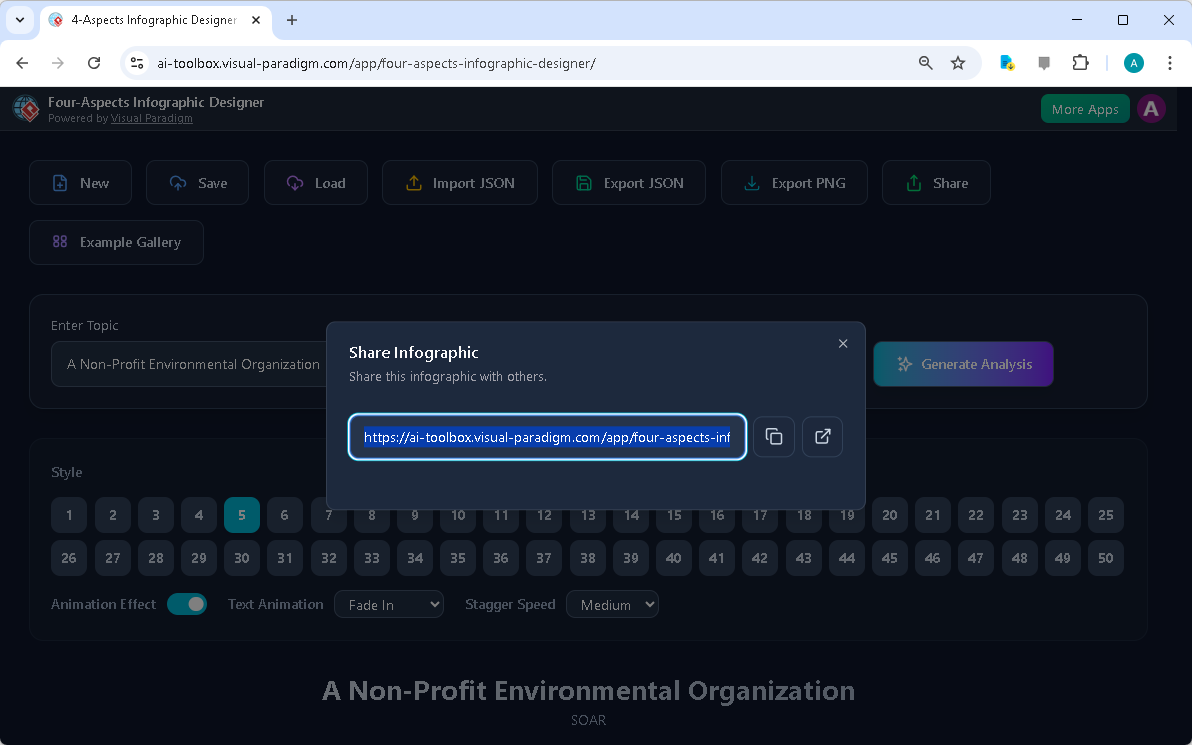
demonstrates the simple, secure process for doing so. Once a project is saved to the cloud, users can click the “Share” button to generate a unique, read-only URL. This link can be sent to clients, team members, or partners, allowing them to view the infographic in a dedicated “viewer mode” that hides all editing controls. This ensures that the professional analysis is presented clearly and without the risk of accidental changes. The shareable link is a powerful tool for collaboration, enabling quick feedback and discussion without the need for file transfers or complex presentations.
Furthermore, the cloud-based project management system ensures that users can access their work from anywhere. Projects are saved securely to the cloud, meaning they can be loaded from any device, making it easy to work on the go or collaborate with others. This accessibility is essential for modern teams that need to work flexibly and efficiently. The ability to export projects locally as JSON files also provides a layer of data privacy and offline backup, giving users complete control over their intellectual property. This robust workflow—from creation to sharing—ensures that the insights generated by the Four Aspects Infographic Designer can be effectively communicated and leveraged.
Conclusion
The Four Aspects Infographic Designer from Visual Paradigm is a powerful solution for anyone who needs to visualize and communicate complex strategic frameworks. By combining AI-powered content generation with extensive customization options and a streamlined sharing process, it eliminates the traditional barriers to creating professional, impactful visuals. Whether you are a business strategist, a product manager, or a consultant, this tool allows you to focus on your analysis and insights, not the design process. The ability to transform a simple topic into a rich, animated infographic in minutes is a significant advantage in today’s fast-paced business environment. To experience the power of this AI-powered tool firsthand, visit the Four Aspects Infographic Designer and start creating your own professional visualizations today.
Related Links
-
AI-Powered 3-Aspects Infographic Designer: An AI tool that generates strategic analyses for 3-aspect frameworks and presents the information in over 50 visually appealing infographic layouts .
-
AI-Powered 6-Aspects Infographic Designer: AI Generation: Automatically produce a comprehensive infographic draft. Customize labels, titles, and icons for each of the six aspects. Text Editing: Adjust descriptions and titles to fit your narrative. Icon Selection: Choose icons from the library or upload your own. Template Variations: Select preferred layout styles suitable for six-part designs.
-
AI -Powered 4 – Aspects Infographic Designer: The 4 – Aspects Infographic Designer instantly transforms your ideas into beautiful, animated four-part infographics. Visualize complex frameworks with clarity-perfect for business models, matrixes, and strategic maps. Purpose and Benefits.